Do On Cloud Shoes Run Small: Find Your Best Fit
Most On Cloud shoes fit true to size, but some models feel narrow or run slightly small.
Do On Cloud shoes run small? The answer depends on the model, your foot shape, and the fit you prefer. On’s running shoes often have a secure, close fit, while lifestyle models may feel more relaxed. This guide explains how On shoes fit, how to choose the right size, and how to avoid common sizing mistakes.
Do On Cloud shoes run small?
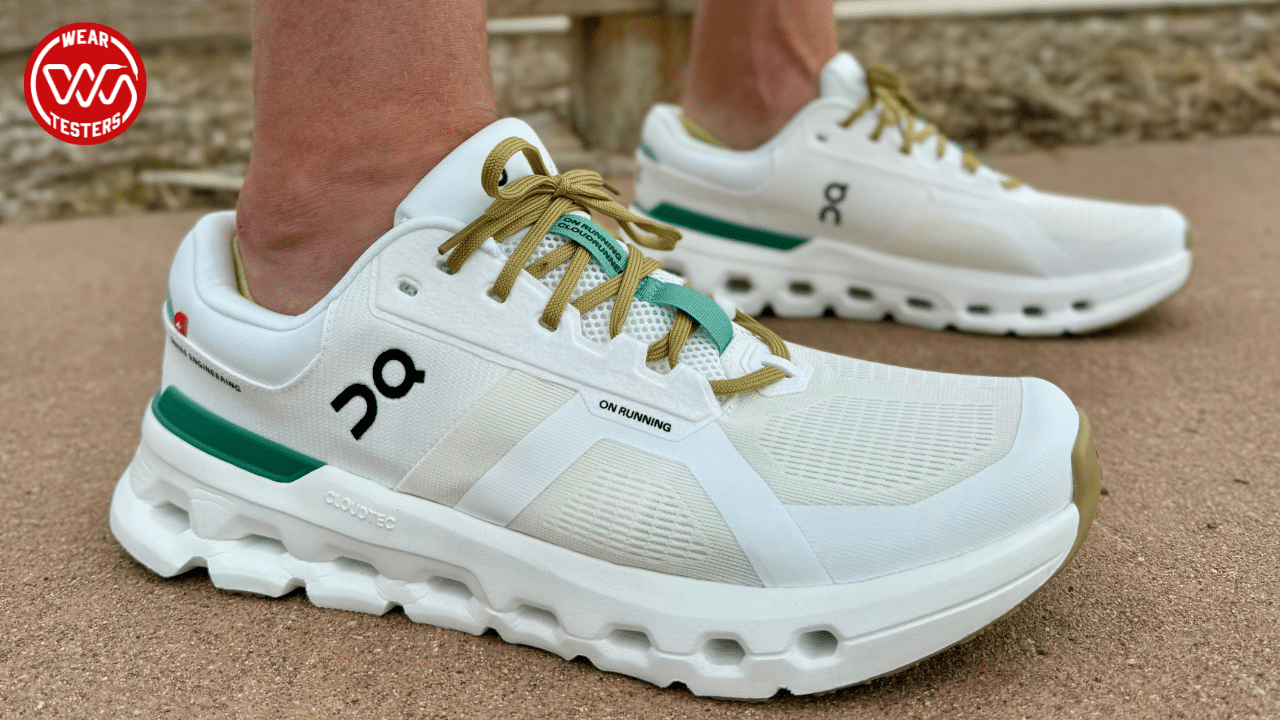
Most On Cloud shoes do not consistently run small. They usually fit true to size for average-width feet, but their snug heel and firm midfoot can make them feel smaller than other sneakers.
The toe box is often the key issue. Some On models leave enough room for normal daily wear, while others feel narrow near the toes. If your feet are wide, swollen after long walks, or between sizes, you may need a half size up.
The best answer to “do On Cloud shoes run small?” is model-specific:
• Many running models fit true to size with a secure feel.
• Some lifestyle shoes feel narrow at first.
• Wide feet may need a larger size or a Wide version.
• Thick socks can make the fit feel tighter.
• People who prefer extra toe room may prefer a half size up.
On shoes are designed to hold the foot in place. That secure fit can feel snug without being too small. A properly fitted shoe should feel stable, not painful or restrictive.
Why On Cloud shoes may feel small
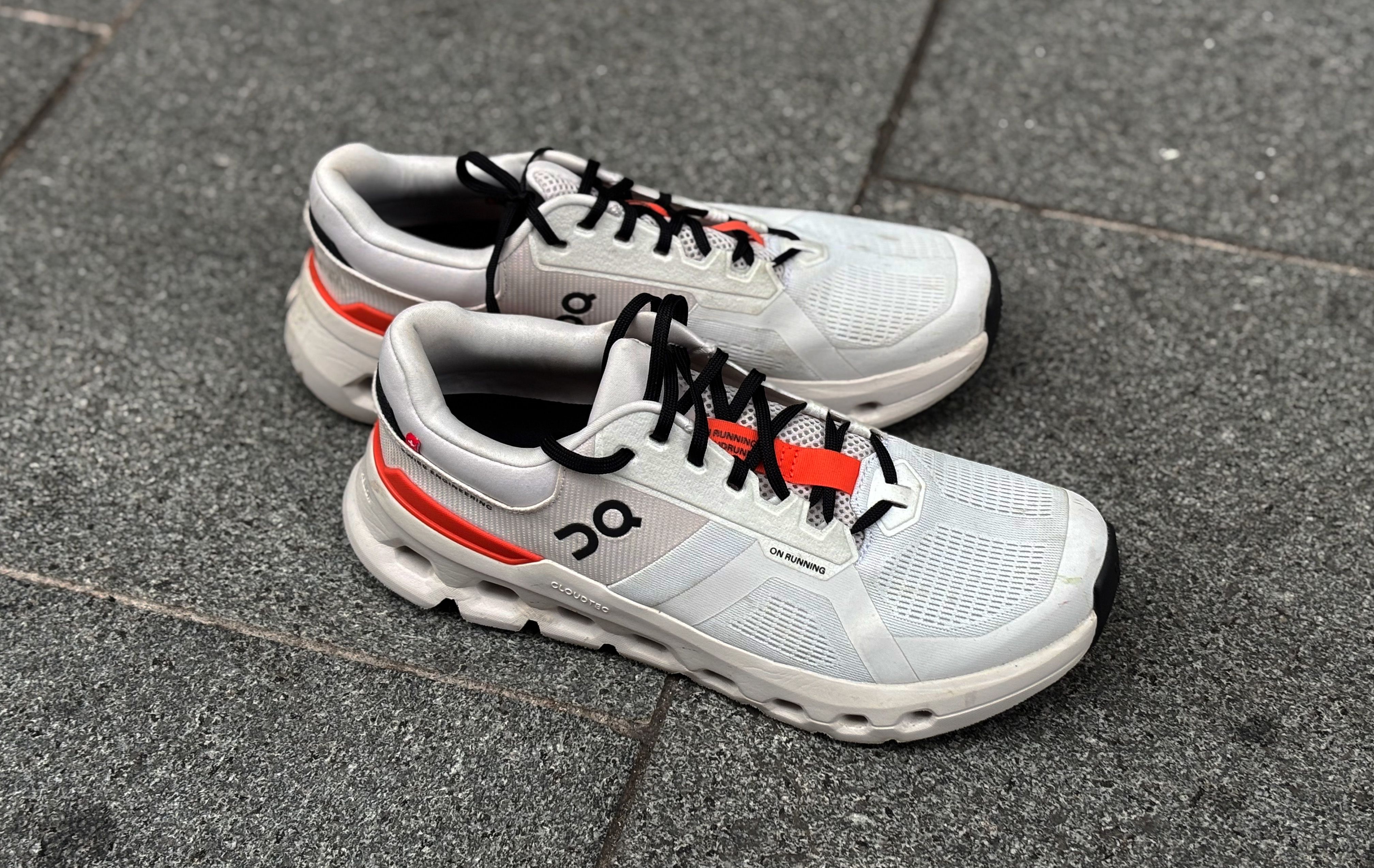
On shoes use a close-fitting design that supports natural movement. The heel and midfoot often feel locked in, which helps reduce foot movement inside the shoe. However, this design can feel tight if you are used to roomy sneakers.
Several factors can affect how On Cloud shoes fit.
Narrow or tapered toe boxes
Some On shoes taper toward the front. This may not bother people with slim or average-width feet, but it can press against the little toe or the sides of a wider foot.
Your toes should be able to spread slightly when you stand. If your toes touch the front or press against each other, the shoe is too small or too narrow.
Firm upper materials
Some On uppers feel firm when new. They may soften slightly with wear, but they should not need a long break-in period to become comfortable.
A shoe that causes numbness, sharp pressure, or rubbing is not a good fit. Do not expect serious discomfort to disappear after a few wears.
Different foot shapes
Two people can wear the same size and have very different results. Foot length, arch height, toe shape, and foot width all affect comfort.
For example, a person with long, narrow feet may find On shoes supportive. Someone with a broad forefoot may feel pressure even when the shoe length is correct.
Socks and swelling
Feet often expand during the day, especially after walking, running, standing, or traveling. Thick socks can also reduce interior space.
Try shoes in the afternoon or evening. This gives you a more realistic fit than trying them first thing in the morning.

How On Cloud shoes should fit
A correct fit should feel secure but not tight. Your heel should stay in place, and your toes should have enough room to move.
Use this simple fit check:
-
Stand up while wearing the shoes.
-
Leave about a thumb’s width between your longest toe and the front of the shoe.
-
Check that your toes can wiggle without pressure.
-
Make sure the widest part of your foot sits comfortably over the shoe’s widest area.
-
Walk on a hard surface and notice any rubbing or pinching.
-
Lace the shoe firmly without crushing the top of your foot.
Your heel should not lift heavily with each step. A small amount of movement is normal, but repeated slipping can cause blisters.
The shoe should also bend in a way that feels natural. If the front creases directly across your toes or presses down on them, the shape may not match your foot.
A useful test is the one-foot comparison. Put on the shoes and stand on one leg for a few seconds. If your toes claw, your heel shifts, or the shoe feels unstable, reconsider the size or model.
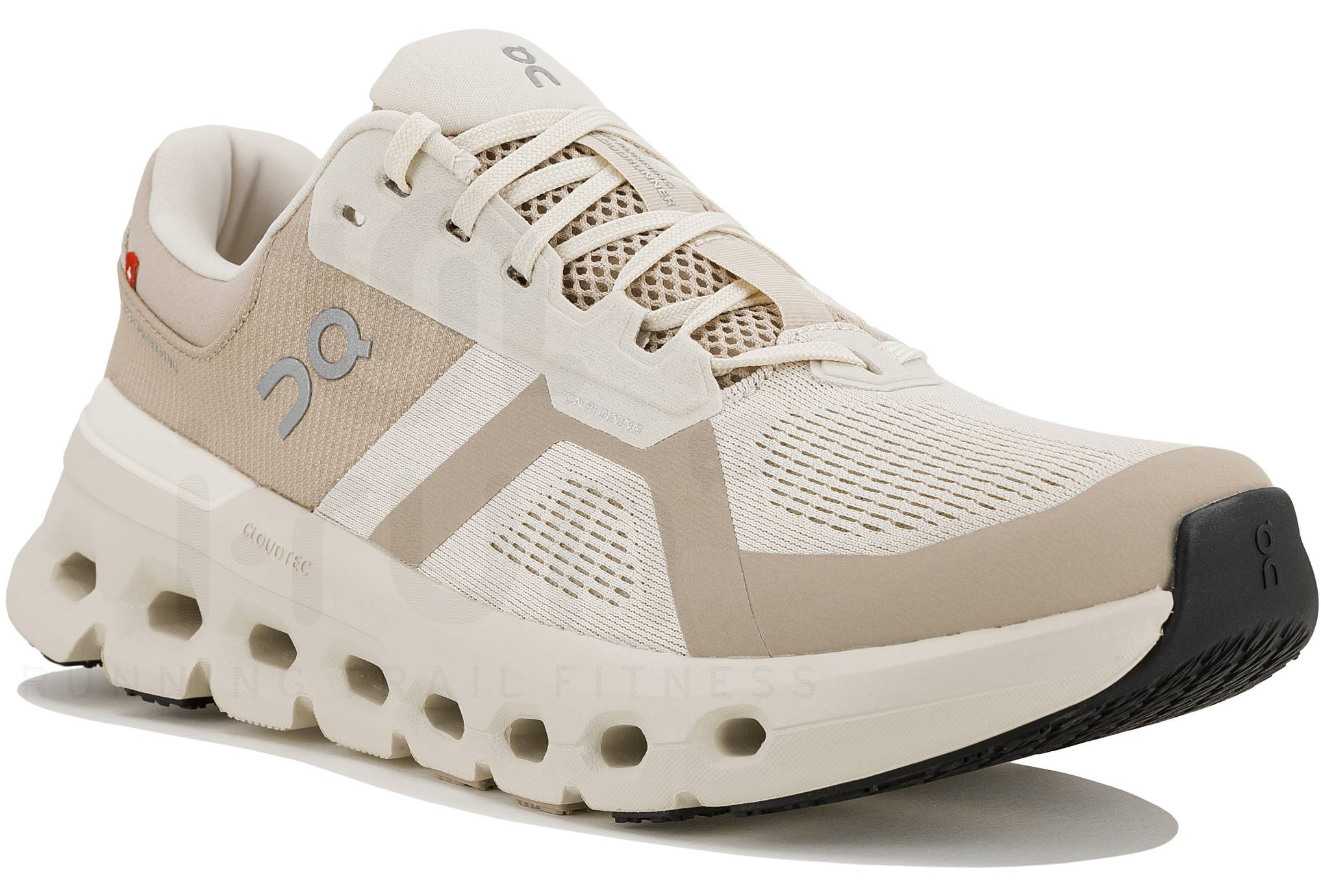
Do On Cloud running shoes run small?
On running shoes often fit true to size, but runners may choose a half size up for longer distances. Feet can swell during a run, so a shoe that feels perfect at home may feel tight after several miles.
The right running fit depends on your use:
• Short runs may work well with your usual size.
• Long runs may require more toe space.
• Wide feet may need a Wide version.
• Trail running may call for a secure fit with less movement.
• Hot weather can increase foot swelling.
Do not size up only because the shoe feels firm underfoot. A firm midsole and a small fit are different issues. Check toe space, width, and heel security before changing sizes.
When testing running shoes, walk and jog in them for several minutes. Pay attention to pressure at the big toe, little toe, arch, and top of the foot.
If your toes hit the front while going downhill, the shoe is too short or your foot is sliding forward. Try a different size, a different lacing method, or another model with a roomier toe box.

Do On Cloud shoes fit wide feet?
Some On shoes work well for wide feet, but not every model has the same amount of space. A shoe can have the correct length and still feel too narrow across the forefoot.
Look for these signs that you may need a wider option:
• Your little toe rubs against the upper.
• The sides of your foot bulge over the sole.
• The shoe feels tight even with loose laces.
• Your forefoot feels numb after walking.
• You see redness along the sides of your feet.
If an On model is available in a Wide fit, that option is usually better than simply going up a full size. A longer shoe may create too much heel movement while still failing to provide enough width.
People with wide feet should also avoid judging fit while seated. Your feet spread when you stand, so always check the shoes while bearing weight.

Do On Cloud shoes stretch over time?
On Cloud shoes may soften and feel more flexible after a few wears. However, they usually do not stretch enough to fix a shoe that is clearly too short or too narrow.
Think of the upper like a new glove. It may relax slightly, but it will not change into a different size. If the shoe causes pain during the first fitting, choose another size or model instead of relying on break-in.
To ease into a new pair:

-
Wear them indoors for 20 to 30 minutes.
-
Use the socks you plan to wear with them.
-
Check your feet for red marks or hot spots.
-
Increase wear time slowly.
-
Stop if you feel pain, numbness, or pressure.
This gradual method helps you find problems before they become blisters. It also gives the upper time to adjust naturally.

How to choose the right On Cloud size
Start with your foot measurements rather than your usual sneaker size. Shoe sizing can vary between brands, and even different models from the same brand may feel different.
Measure both feet at the end of the day. Your larger foot should guide your size choice.
Follow these steps:
-
Place a sheet of paper on the floor.
-
Stand on it with your heel lightly touching a wall.
-
Mark the end of your longest toe.
-
Measure both feet from heel to toe.
-
Compare the larger measurement with the brand’s size chart.
-
Consider width as well as length.
Wear the socks you plan to use. Running socks, wool socks, and thick casual socks can change the fit.
If you are between sizes, consider the shoe’s purpose. A casual shoe may work in your normal size, while a running shoe may feel better with extra front space.
Do not choose a size based only on the number printed inside another brand. A size 9 in one sneaker may not feel identical to a size 9 in On shoes.

Common sizing mistakes to avoid
Many fit problems come from buying too quickly. A few simple checks can prevent an expensive mistake.
• Do not assume every On model fits the same.
• Do not ignore width because the length feels correct.
• Do not buy a tight shoe expecting major stretching.
• Do not test shoes only while sitting down.
• Do not wear brand-new shoes on a long trip before testing them.
• Do not size up a full size unless the length truly requires it.
• Do not remove tags or discard the box until you are sure about the fit.
One mistake I often see in shoe fitting is focusing on heel comfort while ignoring the toes. A shoe can feel secure at the back and still be too short in front. Check both ends of the foot before deciding.
Another common mistake is choosing a larger size to solve a width problem. This can make the heel slip and create new friction. A Wide option or a roomier model is often the better answer.

How to make On Cloud shoes feel more comfortable
If the length is correct and the shoe is only slightly snug, small adjustments may help. These methods cannot fix a truly undersized shoe, but they can improve comfort.
Try a different lacing pattern
Loosening the laces near the forefoot can reduce pressure. Keep the upper laces secure so the heel remains stable.
Use thinner socks
Thick socks can make a close-fitting shoe feel too small. Try a thin, moisture-wicking pair and compare the difference.
Check the insole
A removable insole may change the amount of interior space. Do not remove it for running unless you know the shoe will still provide proper support and comfort.
Test a different model
On offers shoes with different shapes, cushioning systems, and intended uses. If one model feels narrow, another may suit your foot better.
Comfort should not depend on painful stretching or complicated adjustments. The right shoe should feel good with normal socks and normal lacing.
Are On Cloud shoes good for all-day wear?
On Cloud shoes can work well for walking, commuting, travel, and standing, but comfort depends on the model and your foot. Their cushioning and secure fit appeal to many people, yet a narrow design may bother those who need more forefoot room.
For all-day use, look for:
• Enough toe space for natural movement.
• A stable heel that does not rub.
• Breathable materials.
• Cushioning that matches your walking style.
• A width that does not create side pressure.
Try the shoes during a normal day before wearing them for travel. Walk on different surfaces, climb stairs, and stand for several minutes.
If your feet ache by the end of the day, the cause may be fit, support, walking habits, or another foot issue. Persistent pain deserves attention from a qualified health professional.
How On Cloud sizing compares with other sneakers
On shoes often feel more structured than soft, wide casual sneakers. That difference can make the same labeled size feel smaller even when the measured length is similar.
Compared with roomy lifestyle shoes, On models may feel:
• More secure around the heel.
• Firmer through the midfoot.
• Less forgiving across the forefoot.
• More precise during movement.
Compared with traditional running shoes, the fit may feel similar in length but different in width and upper structure. Brand-to-brand comparisons are useful only as a starting point.
The most reliable method is to measure your feet and check the specific model’s fit notes. Reviews can help, but remember that a reviewer’s foot shape may differ from yours.
Frequently Asked Questions About Do On Cloud Shoes Run Small
Do On Cloud shoes run true to size?
Most On Cloud shoes fit true to size for average-width feet. However, some models feel snug because of their secure heel and close midfoot design.
Should I size up in On Cloud shoes?
You may want a half size up if your toes touch the front, your feet swell during activity, or you prefer extra toe room. Avoid sizing up if the problem is width rather than length.
Do On Cloud shoes work for wide feet?
Some models may work for moderately wide feet, especially when offered in a Wide version. If your toes rub or the sides feel tight, choose a wider fit instead of automatically buying a longer shoe.
Do On Cloud shoes stretch?
The upper may soften slightly with use, but the shoes will not stretch enough to correct a major sizing problem. Pain, numbness, or toe pressure usually means you need a different size or model.
Are On Cloud shoes good for walking?
Many On shoes are suitable for daily walking, but the best choice depends on your foot shape and walking needs. Test the shoes for comfort, heel stability, and toe room before using them for long days.
How much room should be in On Cloud shoes?
Leave about a thumb’s width between your longest toe and the front of the shoe. Your toes should move freely, while your heel should remain comfortably secure.
Why do my On Cloud shoes hurt my toes?
Toe pain may come from a short length, narrow toe box, thick socks, or forward foot movement. Check the fit while standing and walking, then consider a wider or larger option if the pressure remains.
Conclusion
So, do On Cloud shoes run small? Usually not, but many models have a secure, structured fit that can feel snug. Most people can start with their usual size, then check toe room, width, heel security, and the shoe’s intended use.
Measure both feet, try shoes later in the day, and test them with your normal socks. If a pair pinches, causes numbness, or leaves no room for your toes, do not depend on break-in time to solve it.
Use these tips before your next purchase, compare the exact On model, and share your fit experience in the comments.

Michael Smith is the Content Strategist behind The Style Hub, where fashion meets function. With a keen eye for trends and a passion for everyday style, he curates content that helps readers make smarter, more stylish choices—from the perfect pair of sneakers to must-have accessories. Michael specializes in breaking down fashion into practical, wearable insights, making style accessible for everyone. When he’s not researching the latest trends, he’s exploring how comfort, innovation, and timeless design come together in modern fashion.